Guide · AI images
AI GTA 6 photo generator: 5 prompts for GTA-style screenshots, and what each tool costs
Describe the look, not the game: five copy-paste prompts for sunny, neon, third-person 'GTA 6 style' shots. Free to $19 a month, with no logos or HUD.

The short version
- GTA VI came out on 19 November 2026. You can make shots in its style with any image model if you describe the look rather than name the game.
- Five copy-paste prompts below: golden hour street, neon night drive, beach boardwalk, swamp airboat and a painted loading-screen portrait.
- The cheapest way to get unlimited generations is Higgsfield Starter at $19 a month (unlimited FLUX.2 Pro at 1K). ChatGPT and Gemini have free tiers with limits.
- Leave out logos, the HUD and the real characters. Take-Two sent a cease and desist over AI 'leak' screenshots, and the account apologised on 24 April 2026.
In this article · 4 sections
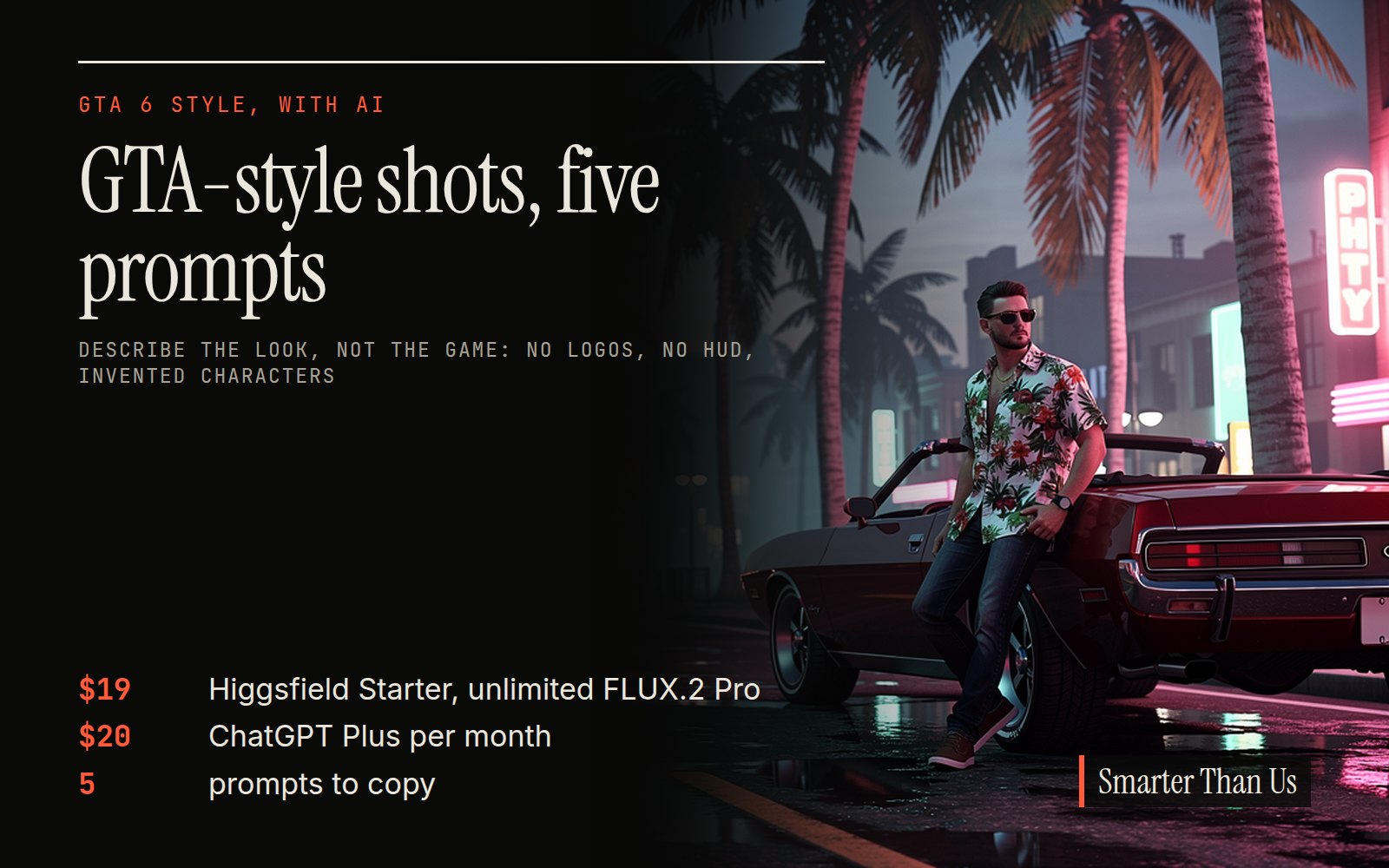
There is no special "GTA 6 photo generator". What you need is a normal image model and a prompt that describes the look. That means a sun-bleached Florida city, saturated sunsets and neon, a third-person camera just behind a character, and the crisp, slightly too-clean shine of a game render. Don't type "GTA 6" into the prompt. Naming the game invites its logos, HUD and characters into the picture, and those are exactly what you want to keep out. Below are five prompts you can paste, followed by what each tool costs.
Grand Theft Auto VI came out on 19 November 2026 for PS5 and Xbox Series X|S. It is set in Vice City, in the fictional state of Leonida. That is why "GTA 6 style" now means a Miami-like place: palm trees, pastel art deco, swamps and highways over water.
What makes an image look like a GTA screenshot
A few things make an image read as "game" rather than "photo". These go into every prompt below:
- Camera. Third-person, about 3 metres behind the character and slightly above head height, with a wide lens. That placement says "video game" faster than anything else.
- Light. Hazy golden hour or wet neon at night, with strong colour grading and glossy reflections on cars and puddles.
- Render feel. Ask for a "real-time game engine render" with a "high-end console graphics" look. Photoreal, but a little too clean.
- A busy world. Background pedestrians, traffic and shop fronts with invented names. Empty streets look like a photo shoot.
What to leave out: the HUD and minimap, any GTA or Rockstar logo, and Jason, Lucia or any real person. The HUD is what makes a fake pass as a "leak", and the next section explains why that matters.
Five prompts to copy
Each prompt uses invented characters and places. Change the clothing, car and time of day to make it yours. We ran all five on FLUX.2 Pro through Higgsfield (the Unlimited setting, 1K, 16:9) on 27 November. Every image below is the first one we got, except where we say we changed the prompt.
1. Golden hour street
Third-person video game screenshot, camera 3 metres behind and slightly above a man in a loose floral short-sleeve shirt walking down a sunny Florida-style street at golden hour, pastel art deco hotels, palm trees, vintage convertibles parked at the curb, pedestrians, hazy humid air, strong warm colour grading, real-time game engine render, high-end console graphics, wide lens, no HUD, no text, no logos.
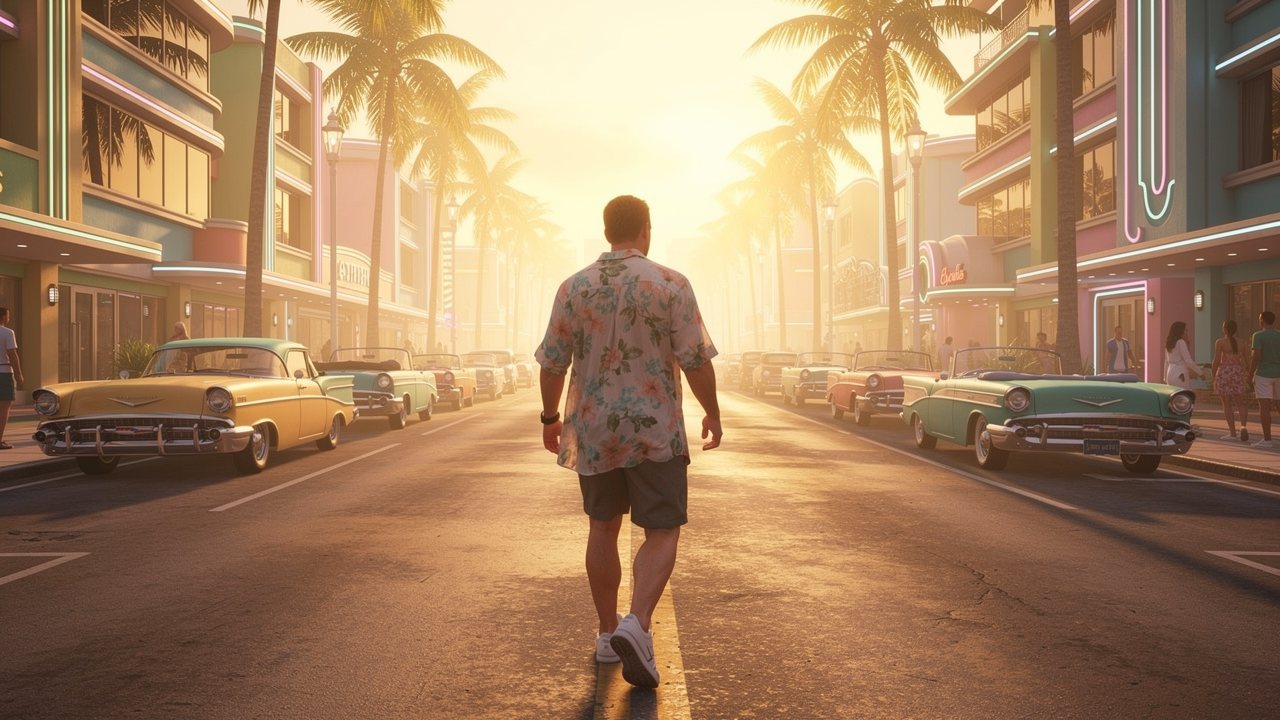
This one worked first time. The low sun, the pastel hotels and the over-the-shoulder camera are enough for anyone who has seen the trailers to say "GTA". The cars came out as 1950s classics rather than the 1980s ones you might picture, so name the decade if it matters.
2. Neon night drive
Third-person driving video game screenshot, chase camera behind a dark red 1980s-style sports coupe on a wet coastal boulevard at night, pink and cyan neon signs reflecting on the road, palm trees silhouetted, light motion blur, glossy ray-traced reflections, real-time game engine render, high-end console graphics, no HUD, no text, no logos.
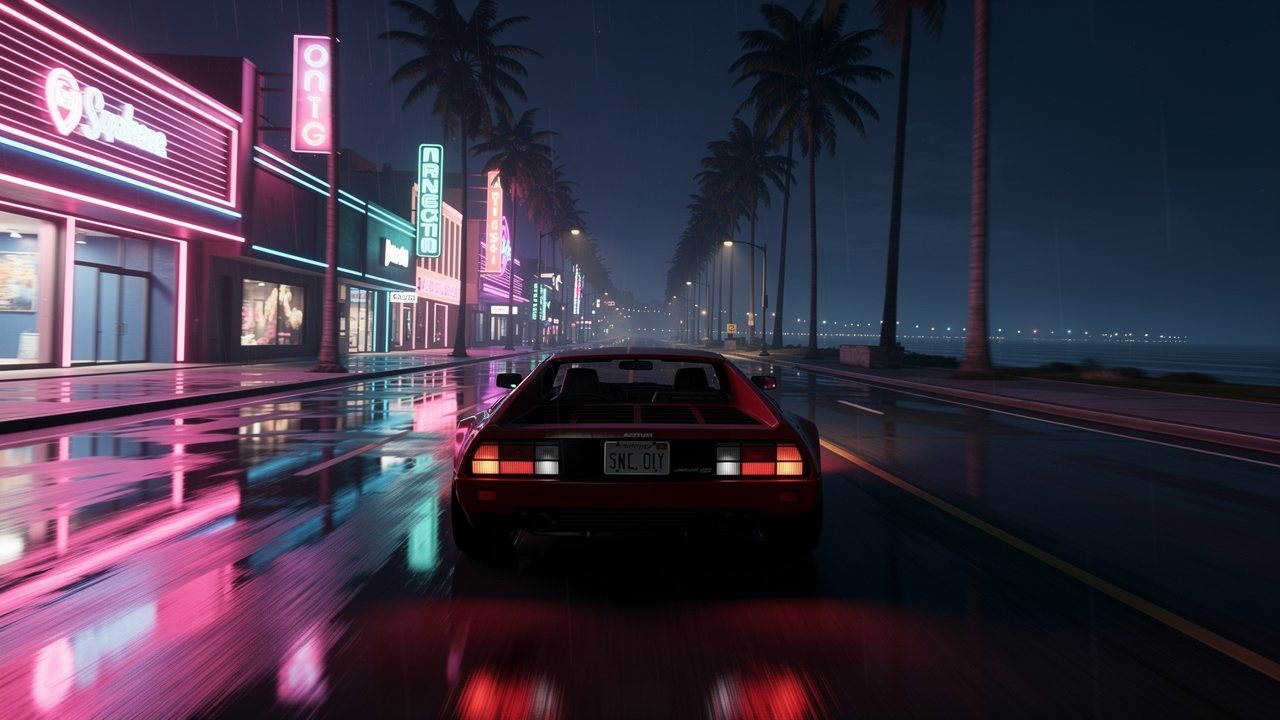
The wet road and neon reflections are the best part of this set. The weak point is text: "no text" didn't stop FLUX from writing made-up words on the neon signs and putting characters on the plate. That's normal for image models. If you need a clean frame, ask for blank signs and a plate with no characters, or crop them out.
3. Beach boardwalk crowd
Third-person video game screenshot, a woman in a yellow windbreaker and sunglasses standing on a crowded beach boardwalk at midday, skaters, food stands, lifeguard tower, turquoise sea, harsh bright sun, saturated colours, real-time game engine render, open-world game, no HUD, no text, no logos.
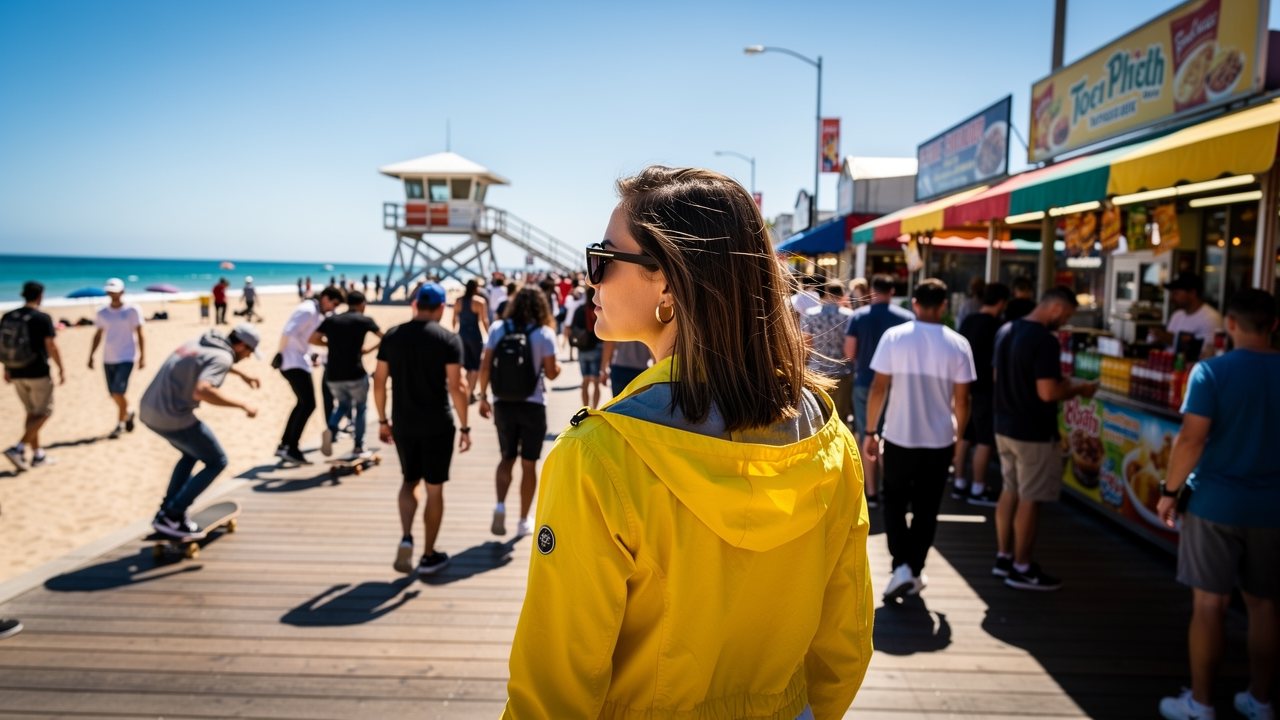
The first result looked like a real photograph taken on a boardwalk, not a game. The crowd held up and nobody looked like a celebrity, but "real-time game engine render" wasn't enough to make a busy daylight scene look like a game. We changed the prompt to ask for the game look directly:
Stylized open-world video game graphics, in-game screenshot from a console game: third-person camera behind a woman in a yellow windbreaker and sunglasses on a crowded beach boardwalk at midday, game character models with slightly smooth skin, simplified textures, crisp game lighting, skaters, food stands with blank signs, lifeguard tower, turquoise sea, saturated colours, no HUD, no readable text on any sign, no logos.
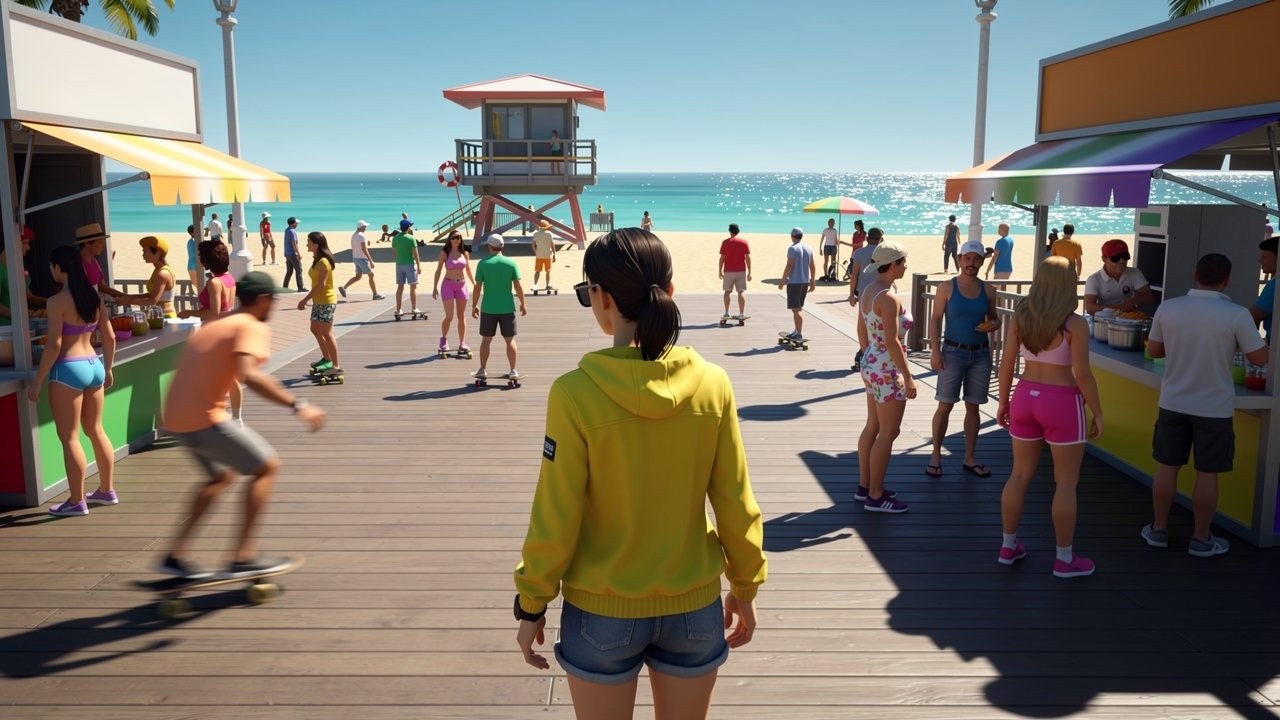
That's the most useful lesson from the whole test: for daylight scenes, describe what game graphics look like (smooth character models, simplified textures, crisp lighting). "Game engine render" alone can still give you a photo.
4. Swamp airboat
Third-person video game screenshot, a character in a cap and fishing vest driving an airboat fast through a mangrove swamp at sunset, spray behind the boat, alligator on a mud bank, Spanish moss, orange sky, humid haze, real-time game engine render, high-end console graphics, no HUD, no text, no logos.
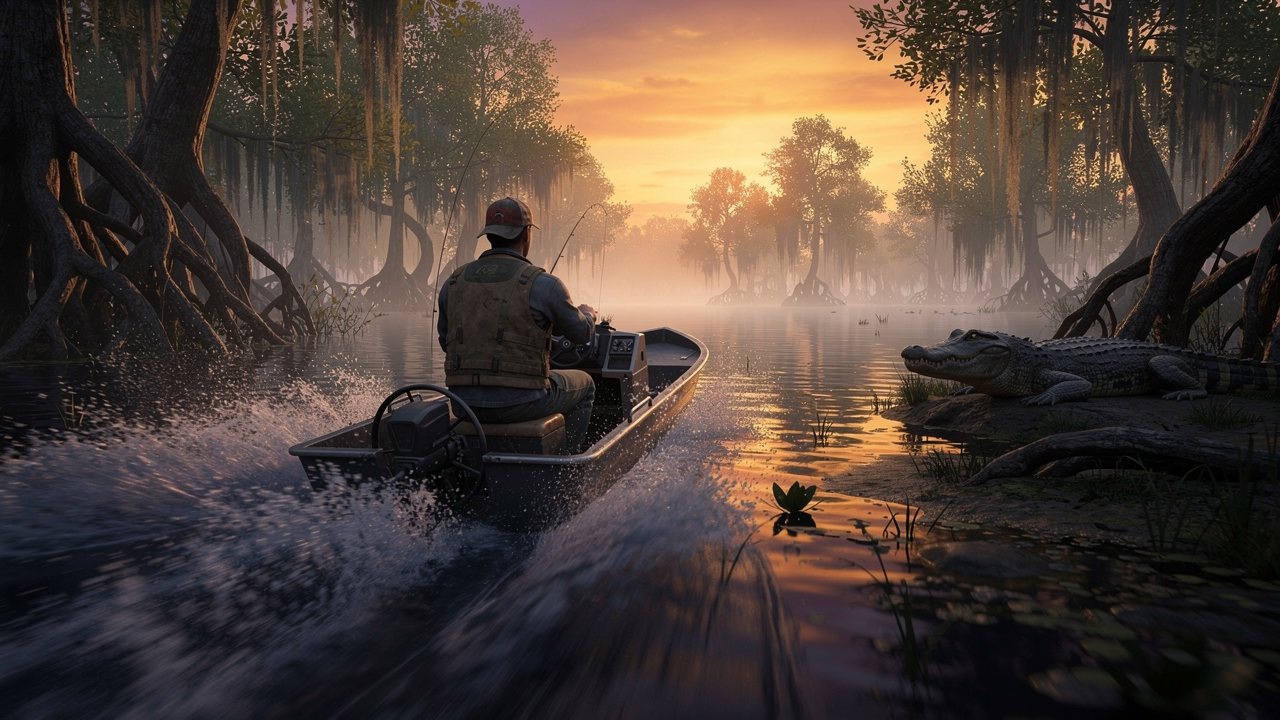
The mood is exactly right, and the alligator is a nice touch. But FLUX didn't know what an airboat is: there's no big fan at the back, just a small motorboat. When a model gets an object wrong, describe it instead of naming it, for example "a flat-bottomed boat pushed by a large caged propeller fan at the back".
5. Painted loading-screen portrait
The game's loading screens and covers use a bold painted-poster look, which is part of the brand. You can borrow the general idea of a painted, inked portrait, but use your own character and composition and leave out the panel-grid cover layout and any title lettering.
Bold painted illustration of an invented woman in a red leather jacket leaning on a car door, palm trees and a sunset sky behind her, thick ink outlines, flat saturated colours with painted shading, retro pulp-poster style, single figure, no text, no letters, no logos.
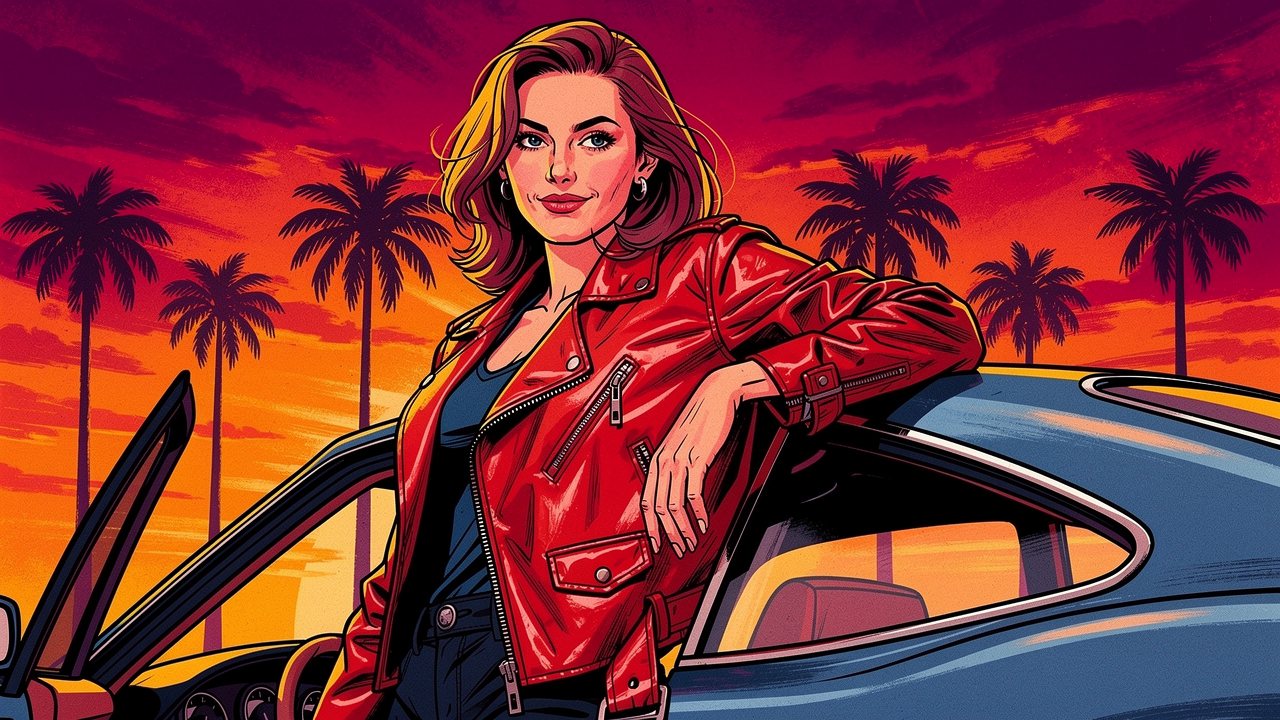
This is the easiest look to get and the one that reads as "GTA" fastest, because the loading-screen art is so recognisable. It's still our own character and composition, with no title, no logo and no panel grid. Keep it that way.
What the generators cost
Prices checked on 27 November 2026, in USD.
| Tool | Free option | Cheapest paid | What you get for images |
|---|---|---|---|
| Higgsfield (affiliate link) | Free plan, 0 credits | Starter $19/mo | Unlimited FLUX.2 Pro (1K) and Seedream 5.0 Lite on the web app |
| Higgsfield Plus | $40 first month, then $59/mo, or $30/mo billed yearly | Adds unlimited FLUX.2 Pro at 2K, Nano Banana, GPT Image 2.6 (2K, 7 days) and more | |
| ChatGPT | Free, "limited image creation" | Plus $20/mo | "More complex and accurate image creation". Pro from $100/mo is listed as unlimited |
| Gemini | Free, image generation and editing in the app | Paid plans | Higher overall usage limits (2× on Plus, 4× on Pro) |
Higgsfield's pricing page shows a Black Friday sale that ends on 28 November at 00:00 UTC. After that the first-month prices may change. For more discounts on AI image and video tools this week, see our Black Friday deals roundup.
Which one to pick: if you only want a few shots, try the free ChatGPT or Gemini tier first. If you want to make dozens of versions to find the right one, unlimited FLUX.2 Pro on Higgsfield Starter is the cheapest flat rate we found. All five prompts above are written for FLUX.2 Pro. For bigger, cleaner files, see our guide to AI images at print size.
Don't make fake leaks
AI "GTA 6 leaks" were common before launch and kept fooling people. One creator owned up after a backlash over fake AI gameplay clips. Take-Two sent a cease and desist to the fan account GTASixJoker over AI images styled as leaked screenshots. On 24 April 2026 the account apologised, saying the images had "risked confusing fans with real leaks" (as reported by GTA BOOM; the original X post didn't load for us on 27 November).
Now that the game is out, a "leak" makes less sense, but the same line applies to fake DLC, fake GTA Online updates and fake PC screenshots. To stay on the safe side:
- Label it. "AI fan art, not from the game" in the post text costs nothing.
- No logos, no HUD, no title lettering, no in-game characters, no real people.
- Don't present it as news, a leak or official material.
The style itself, meaning sunny Florida, neon and a third-person camera, is not something anyone owns. The game's name, logo, characters and UI are. Our painted AI films piece shows how one creator built a look that is clearly their own, and that approach works better than a close copy.